Work in progress
Option 1
Option
Option
Feature item here


Feature item here
Feature item here
Feature item here
Feature item here
Feature item here
Feature item here
Feature item here

A-DAPT is a powerful software suite for the forensic analysis and export of CCTV video and body worn footage. It supports a wide range of file formats including proprietary formats from common DVR manufacturers and enables investigators to review, convert, and clarify video efficiently, all while preserving evidential integrity. A-DAPT does not use rely on full builds of FFmpeg which makes it a great tool to have to compare results from other tools that do use it. A-DAPT does not rely on FFmpeg's executable‑level logic., because of that, it can perform operations that ffmpeg.exe simply cannot.
A-DAPT is developed by YottaGeek™ and supplied and supported in the UK and beyond by DEMUX™
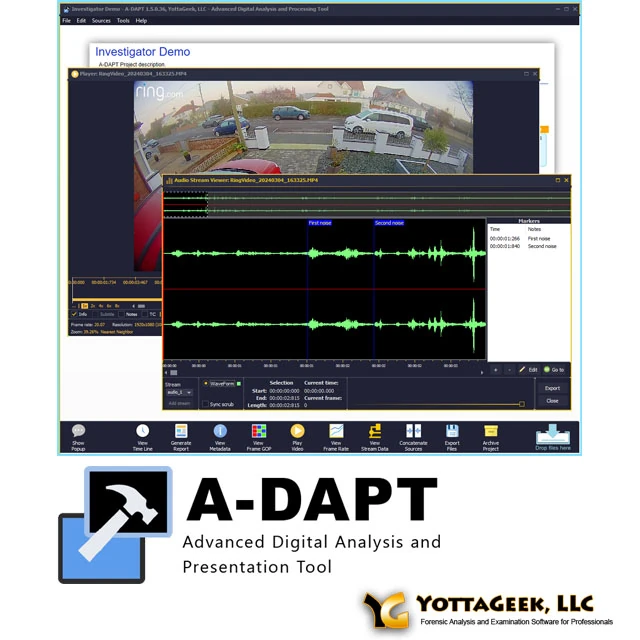
A-DAPT (Advanced Digital Analysis and Processing Tool) is a powerful software platform developed by YottaGeek™ for the forensic analysis and processing of digital multimedia evidence. Designed specifically for law enforcement and legal professionals, A-DAPT allows users to review, process, and export multimedia files from sources such as CCTV, body-worn, smartphone, dashcam footage, in open formats and a wide range of proprietary formats. It simplifies complex workflows by offering a centralised environment for audio and video playback, clarification, and evidential export, all while maintaining full chain-of-custody integrity.
A-DAPT streamlines the often complex and time-consuming process of working with digital multimedia files, enabling seamless playback and analysis without the need for native software. With built-in tools for video clarification, redaction, and evidential export, A-DAPT enhances both accuracy and efficiency. Whether you're managing large volumes of footage or preparing evidence for court, A-DAPT ensures your workflow is consistent, reliable, and fully compliant with legal standards.
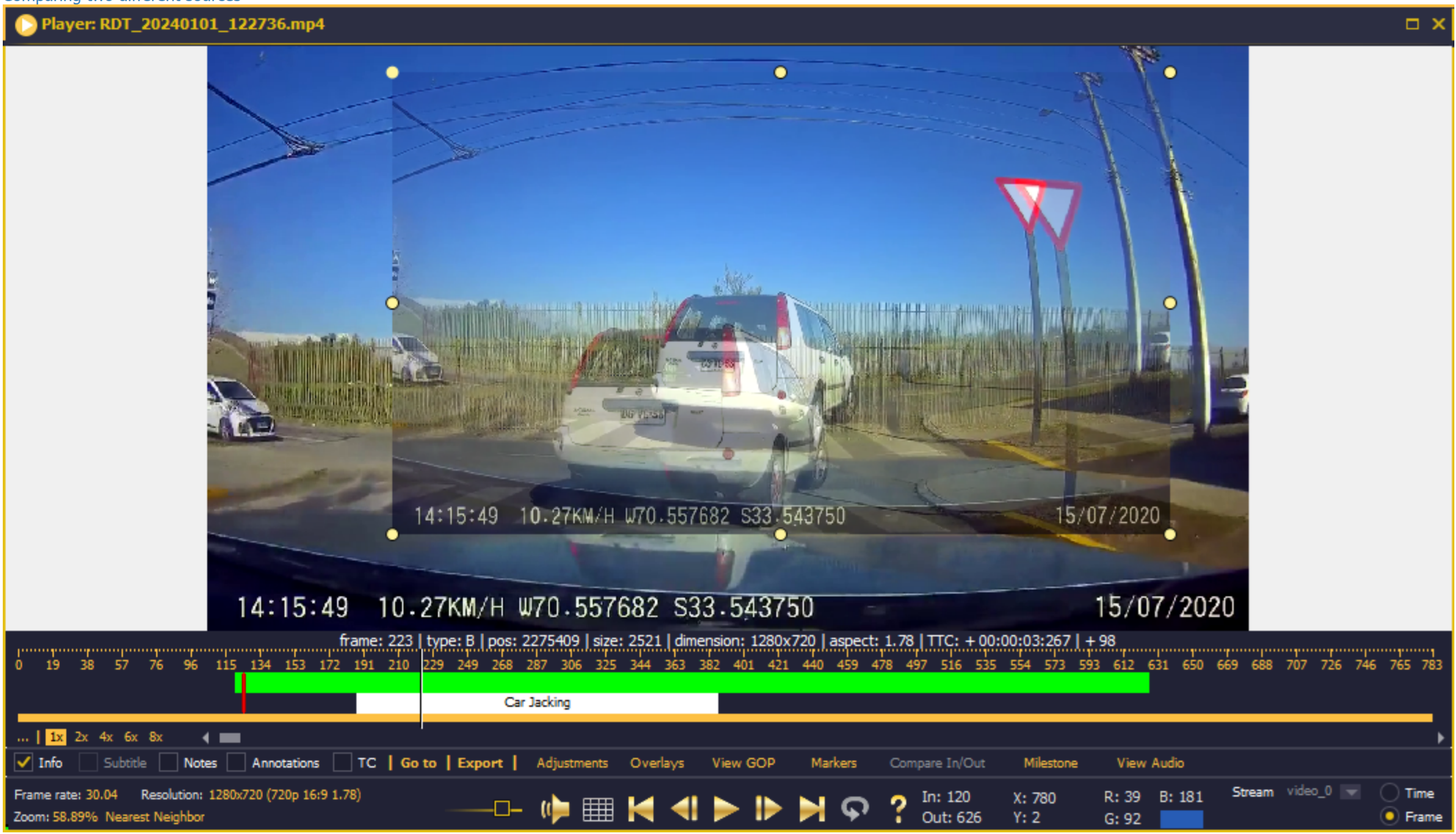
A-DAPT simplifies the complexities of digital multimedia evidence by giving investigators a reliable, unified platform for processing footage. It eliminates the need to juggle multiple tools or rely on proprietary playback software, reducing delays and the risk of error.
Whether you're:
A-DAPT streamlines every step, from acquisition and clarification to export and reporting. It helps you work faster, with more confidence, while maintaining the evidential integrity required in professional investigations.
A-DAPT offers a complete toolkit for handling digital multimedia evidence from start to finish. Its capabilities include:
A‑DAPT is a forensic video analysis tool built on a fully proprietary parsing engine with no black-box dependencies. Because it does not rely on wrappers around FFprobe, FFmpeg, or other metadata parsers, you can directly compare its results against your existing tools to strengthen the confidence of your findings. It uses open-source libraries as DLLs only, maintaining strict LGPL compliance. This design gives you a transparent, defensible foundation for your analysis—one you can clearly explain and stand behind in court.
Tools like VLC and some other forensic tools use FFmpeg which is designed to try and play your multimedia file even though it may drop some frames to do so, A-DAPT can report on the whole stream and report any broken or damaged sequences.
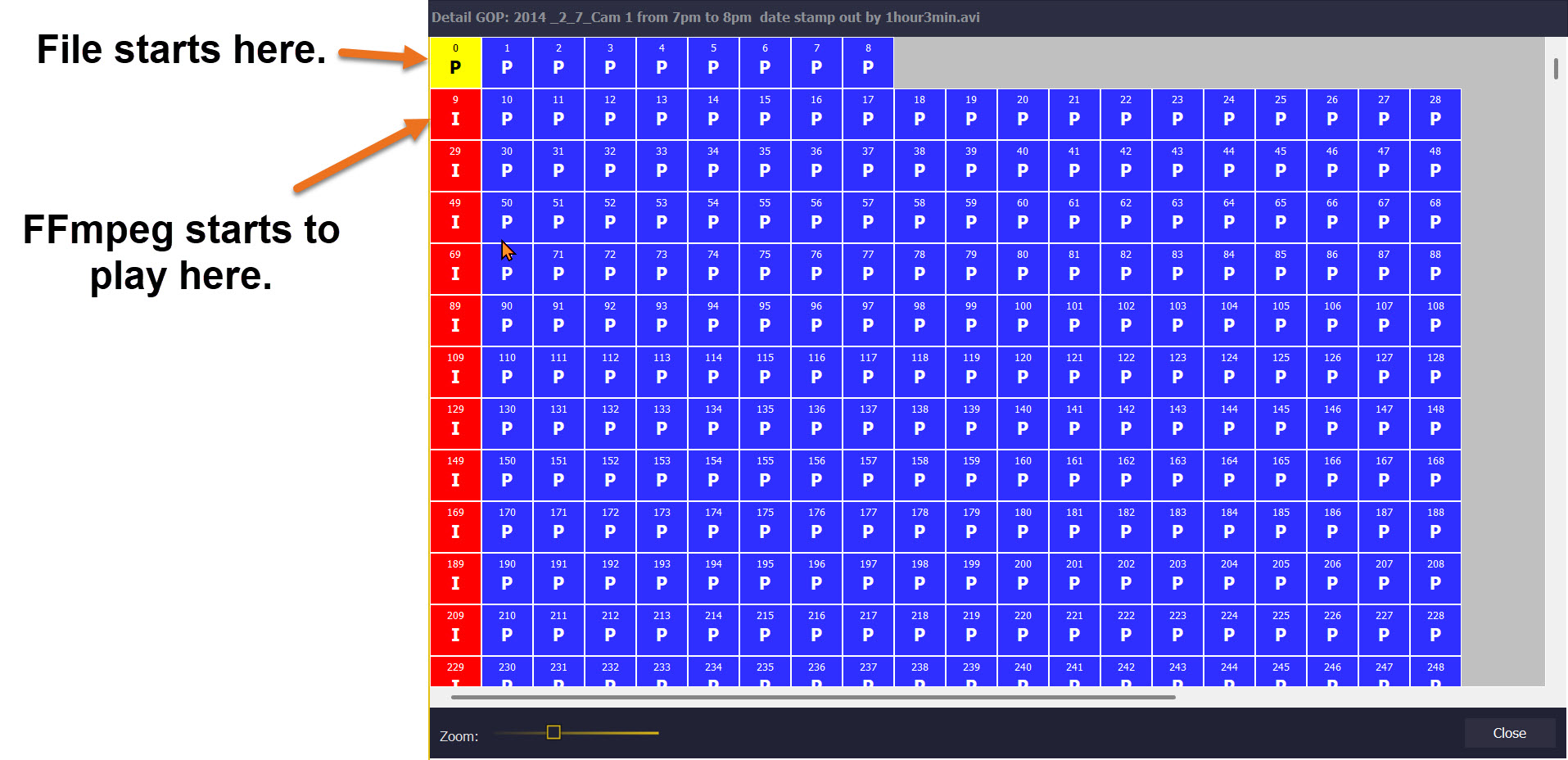
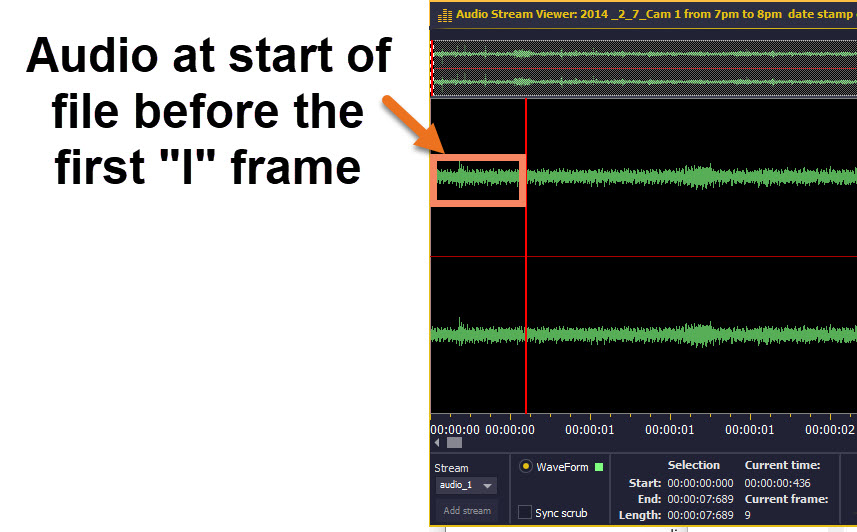

The total number of frames that FFmpeg reports as playable is 71680 whereas A-DAPT reports 71700. Although those 20 frames may not have any content that can be visualised those 20 frames may be relevant if you are carrying out timing calculations or want the audio to be in sync. (FFmpeg discounted the "P" frames 0 through to 8 plus some others with macroblock encoding issues)
Q: Can A-DAPT validate whether a video's frame rate has been altered?
A: Yes. A-DAPT's Frame Rate Validation cross-checks the container header FPS against the derived frame-level FPS, highlighting any mismatches and generating a frequency graph over the full duration of the file, a key check for detecting tampering or re-encoding.
Q: Does A-DAPT analyse the internal structure of a video's frames?
A:Yes. GOP Analysis produces a full I/P/B frame map across all streams simultaneously, flagging anomalous frames, non-standard sequences, and re-encode boundaries that indicate a file has been edited or converted.
Q: Can A-DAPT show gaps or overlaps across multiple video sources?
A: Yes. The Timeline View presents a Gantt chart across multiple video sources, automatically flagging gaps and overlaps with the exact duration displayed, useful for reconciling footage from several cameras covering the same incident.
Q: Can A-DAPT detect if a frame has been manipulated?
A: Yes. Compare In/Out generates a pixel-level RGB difference map between any two marked frames, where white indicates a difference and black indicates the frames are identical, allowing analysts to detect even sub-pixel manipulation.
Q: Can I mark a specific moment as a reference point in A-DAPT?
A: Yes. The Milestone Marker feature lets you set any frame as time-zero, with the timeline then displaying the offset either side of it, useful for collision reconstruction and event sequencing.
Q: Does A-DAPT support audio analysis alongside video?
A: Yes. A-DAPT displays a full audio waveform with live scrubbing, allowing you to set audio markers, correlate them to specific video frames, and export the results for reporting.
Q: What does an A-DAPT analysis report contain?
A: A-DAPT generates a fully customisable PDF report including MD5, SHA1, SHA256, and SHA512 hashes, thumbnails, hex headers, frame rate graphs, macroblock analysis, and motion vectors.
Q: Can A-DAPT join multiple video clips without re-encoding them?
A: Yes. The Concatenate feature performs lossless stream linking with no re-encoding, so the original GOP structures and all metadata are fully preserved across the joined file.
Q: Can I archive and restore an A-DAPT case file?
A: Yes. Archive & Restore provides full project packaging with MD5 hash verification on restore, with colour-coded results confirming whether the restored project matches the original exactly.
Q: What metadata does A-DAPT extract from a video file?
A: A-DAPT produces a Metadata Report with critical fields highlighted in bold blue and anomalous data flagged in red, covering container information, streams, statistics, GPS location, and vendor-specific headers.
If you require any changelogs from older dates which aren't currently visible, please contact info@demux.co.uk.