Work in progress
Option 1
Option
Option
Feature item here


Feature item here
Feature item here
Feature item here
Feature item here
Feature item here
Feature item here
Feature item here

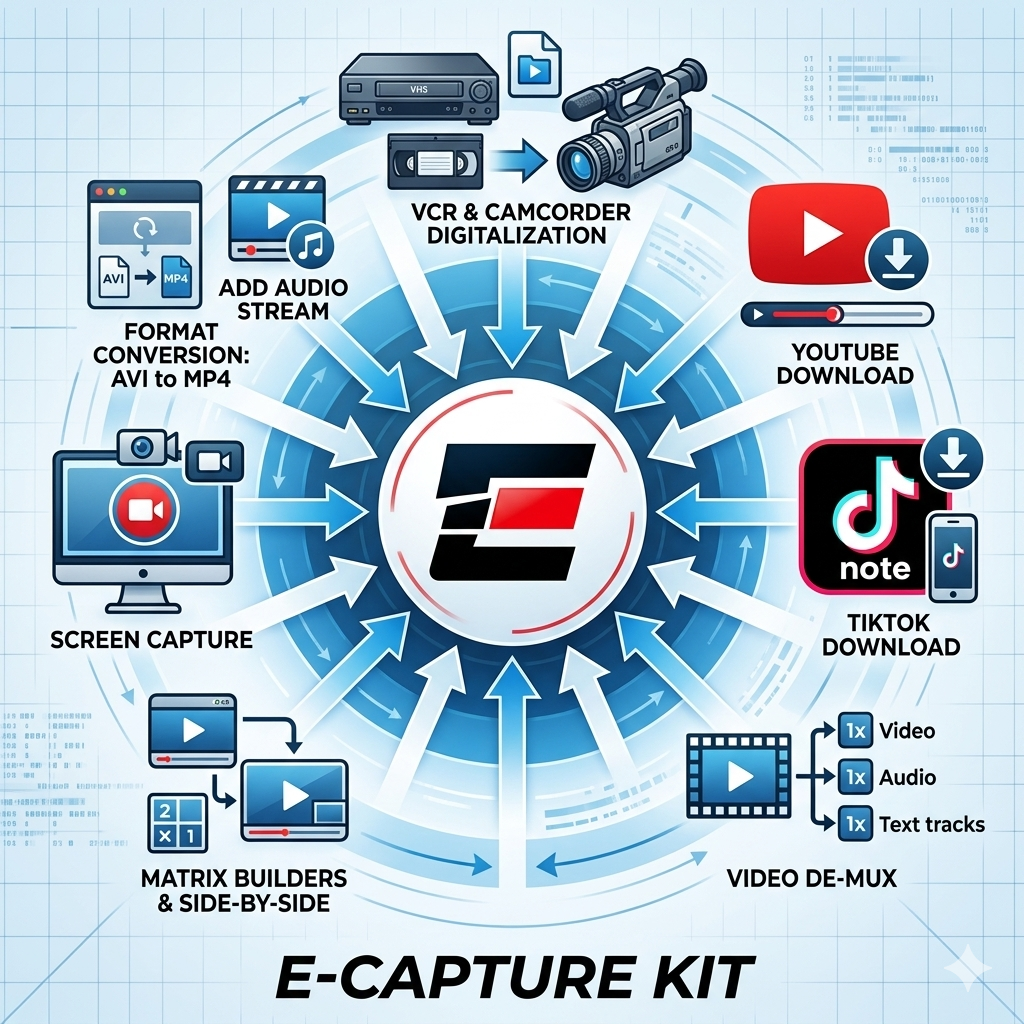
Next‑generation replacement for Ocean Systems' Omnivore drive. Built for forensic professionals, investigators, and technical analysts, E‑Capture Kit delivers a unified set of tools engineered to acquire video evidence by any means necessary.
A suite of tools that you can install on a desktop, a USB drive or an old Omnivore and use in the Lab or on scene.
Analogue Capture - capture from digitising devices
DePlexer - Deplex Multiplexed Videos
Screen Capture - still a useful function
StepCapture - Captures Frame by Frame
Online media file downloader - with cookie manager
FilterGraph - GUI for FFmpeg with real time preview
TRIAL AVAILABLE - Complete the form below.
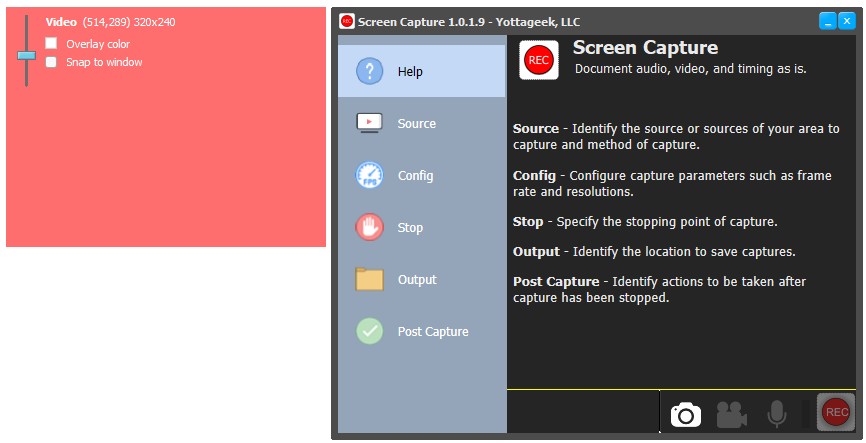
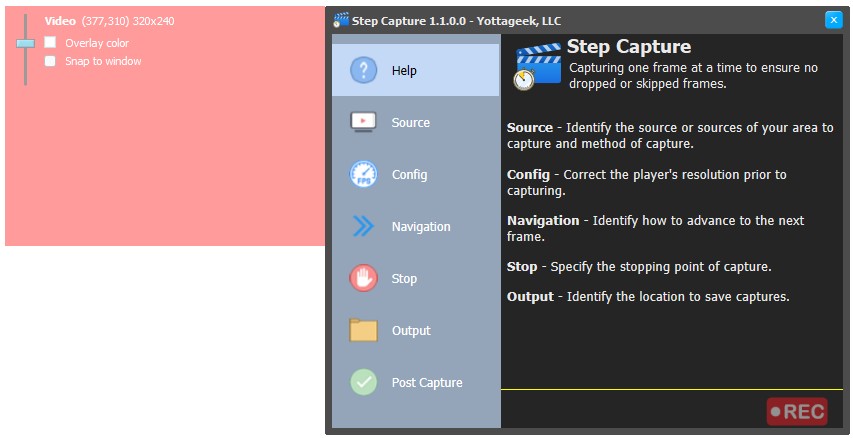
Overlay‑driven interface similar to the Omnivore screen‑capture workflow, but built on a fully GPU‑based architecture. Instead of sampling the desktop for pixel changes, it communicates directly with the GPU to detect when a new video frame arrives. This approach reduces system load and preserves accurate frame timing data (PTS information). Containers that support variable frame rate will reflect this precisely in A‑DAPT's frame‑rate analysis or FFprobe XML reports.
Its audio‑capture engine communicates directly with the application generating sound, capturing only the intended audio stream without leading or trailing gaps. This produces a capture that is more accurate to the video stream duration since it doesn't include unwanted gaps.
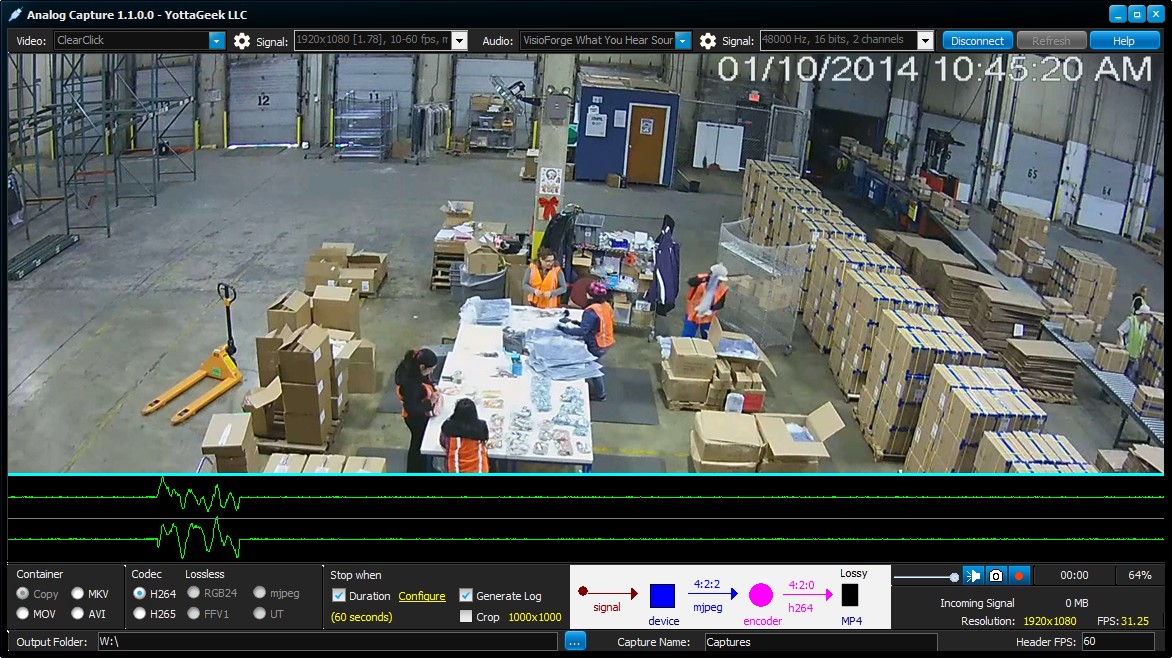
Designed for analog‑to‑digital workflows, this tool interfaces directly with capture hardware and re‑wraps the incoming signal straight to disk. When the device outputs a compressed stream, the software performs a true direct‑to‑file write, preserving the data exactly as it arrives, no additional processing or alteration. The result is a lossless capture with minimal file size.
The system also records variable‑rate behavior, a common characteristic of lower‑cost hardware that cannot maintain a constant output rate. A built‑in visual data‑flow diagram illustrates how the signal moves from input to output, giving users a clear, transparent view of the entire capture path.
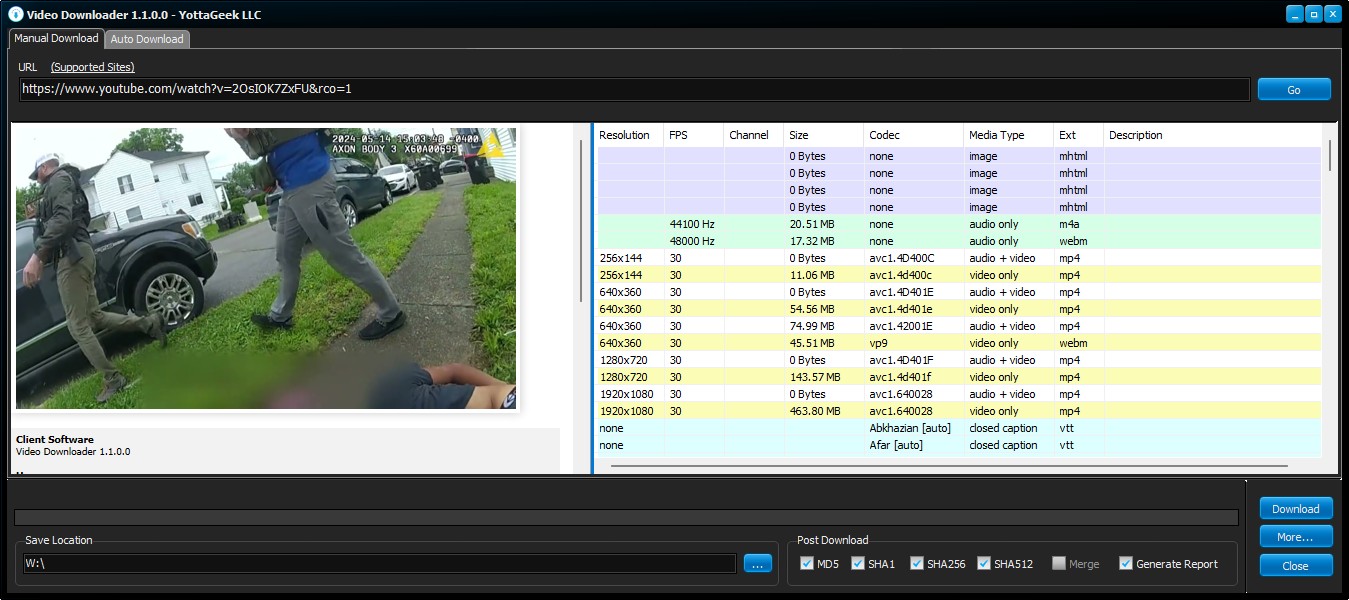
Forked from YT‑DLP, this tool is engineered for high performance and forensic‑grade preservation of online video data. It enumerates all available sources, including storyboards, closed captions, audio tracks, and video streams and can batch‑process URLs while generating detailed metadata reports. These reports document information such as author, date and time uploaded, view counts, comments, descriptions, etc.
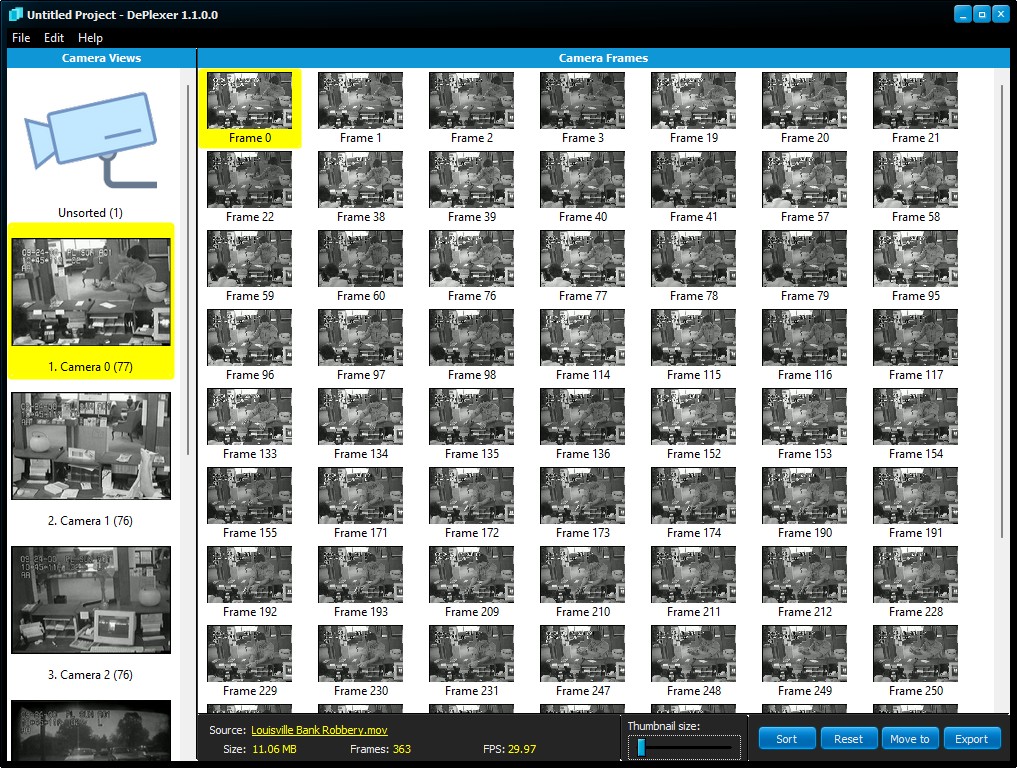
The tool demultiplexes multi‑camera footage, sorting frames by view, camera angle, or object type. Its flexible sorting engine allows users to define unlimited grouping rules; whether isolating frames from a specific camera, separating views by region of interest, or clustering frames that contain a particular subject or event.
Beyond simple separation, DePlexer analyzes each frame independently, making it especially effective for footage where multiple camera views are interleaved, multiplexed, or embedded within a single stream. Users can choose to sort based on the entire frame or restrict sorting to a defined region, enabling highly targeted extraction workflows.
Once sorted, each camera view becomes its own organized collection of frames, which can be exported individually or as a complete set in either image or video formats. This makes DePlexer ideal for reconstructing multi‑camera surveillance footage, preparing evidence for review, or breaking down complex multiplexed recordings into clean, usable components.
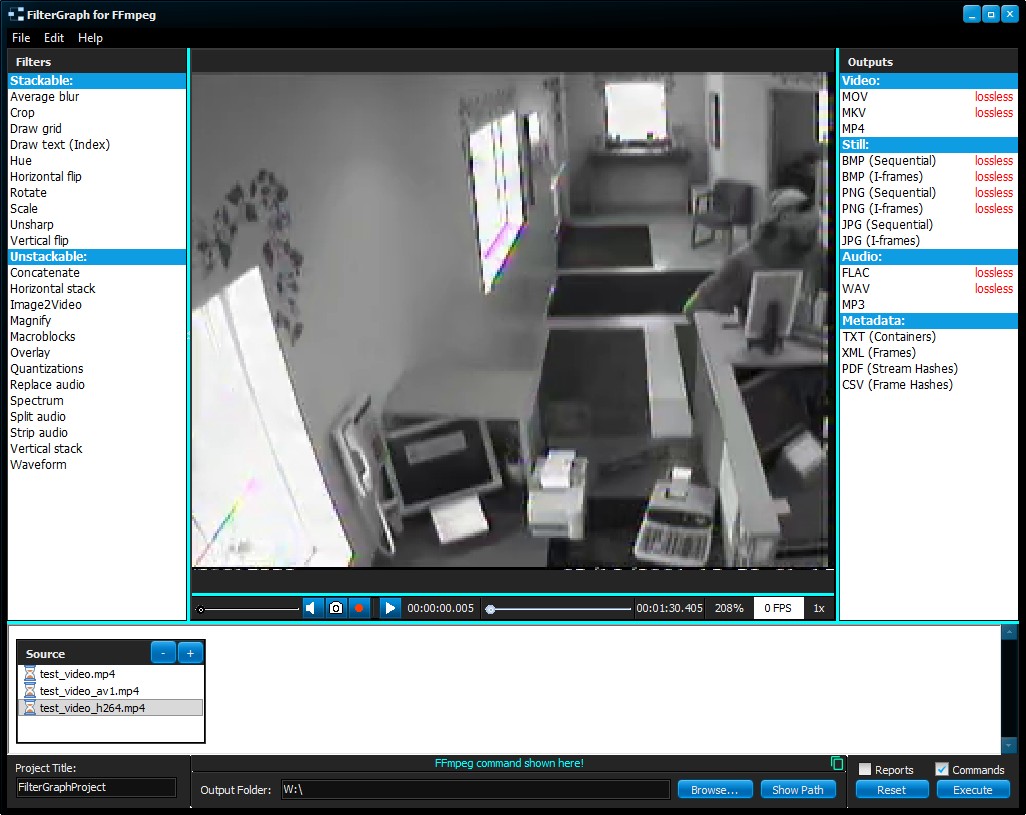
FilterGraph is a visual FFmpeg command‑building environment designed to make complex media processing workflows intuitive, transparent, and fast. Instead of memorizing command‑line switches or piecing together filter chains manually, users can construct sophisticated FFmpeg pipelines through a clean drag‑and‑drop interface. Each filter becomes a visual block, and connections between them form a clear, readable processing graph. This eliminates guesswork and dramatically reduces the time spent referencing documentation or troubleshooting syntax.
What sets FilterGraph apart is its integrated real‑time preview engine. As you build or modify your filter chain, the preview updates instantly, allowing you to see the effect of each change without running full FFmpeg jobs or waiting for long renders. This immediate feedback loop transforms the traditional trial‑and‑error workflow into a smooth, interactive experience, making it easier to fine‑tune parameters, compare results, and validate your processing decisions before committing to a final export.
FilterGraph is particularly valuable in forensic and analytical environments where precision, repeatability, and clarity matter. By visualizing the entire filter path, it provides a transparent record of how media is being processed—useful for documentation, reporting, and courtroom‑ready reproducibility. Its design removes the barrier of FFmpeg’s steep learning curve while still giving advanced users full control over the underlying command structure.
FilterGraph simplifies the task of reviewing video evidence by removing unnecessary complexity. Its lightweight design means you can quickly open, view, and assess footage, even from obscure or proprietary systems, without relying on full forensic software. Whether you’re conducting an initial triage, validating evidence, or supporting frontline investigations, FilterGraph helps you move faster while maintaining the accuracy and attention to detail your work demands.
Export the media in the format you want and choose to receive a report which includes the dataflow diagram, and the commands used with simple language explanations.

Q: Can E-Capture Kit capture directly from a screen?
A: Yes. E-Capture Kit's Screen Capture uses GPU-direct capture, preserving PTS (presentation timestamp) values accurately as it records.
Q: Can E-Capture Kit capture video frame by frame?
A: Yes. Step Capture provides frame-by-frame capture with zero frame loss, ensuring every frame of the source material is preserved accurately.
Q: Can E-Capture Kit acquire footage from analogue sources like DVRs or VCRs?
A: Yes. Analog Capture writes directly to disk, making it suitable for capturing footage from legacy DVR and VCR workflows.
Q: Can E-Capture Kit download and preserve online video?
A: Yes. The Video Downloader preserves online video content, including support for cookie authentication where a video requires a logged-in session to access.
Q: Can E-Capture Kit separate footage from a multi-camera DVR recording?
A: Yes. The DePlexer demultiplexes and sorts footage from multi-camera recordings into individual, organised streams.
Q: Does E-Capture Kit include tools for building custom video processing pipelines?
A: Yes. FilterGraph is a visual FFmpeg pipeline builder with a live preview, letting investigators construct custom video processing workflows without writing FFmpeg commands directly.
If you require any changelogs from older dates which arent currently visable, please contact info@demux.co.uk.