We do not keep stock of our specialist security hardware, as each item is sourced directly from our suppliers on request. Please complete the form below so our team can verify your requirements, confirm availability, and provide a quote with expected lead times.
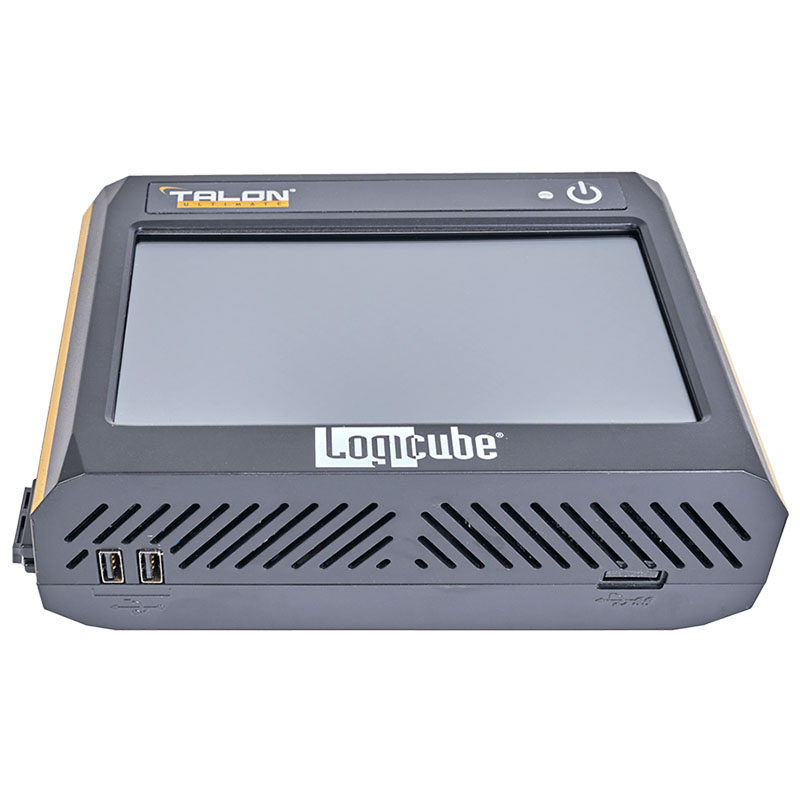
Designed for field or forensic lab use, the Talon® Ultimate Multi-User imager delivers advanced, high-performance, networked forensic imaging at a budget-friendly price. Easily portable and featuring a compact footprint, user-friendly navigation standard on Logicube forensic imagers and IT cloners, and peerless imaging speeds in its class, the Talon Ultimate supports Targeted and Logical imaging out of the box through Multi-Tasked simultaneous operations and meets all imaging, browsing, hashing, verification, wiping, and formatting needs of forensic investigators.
Click here to see the product overview video.
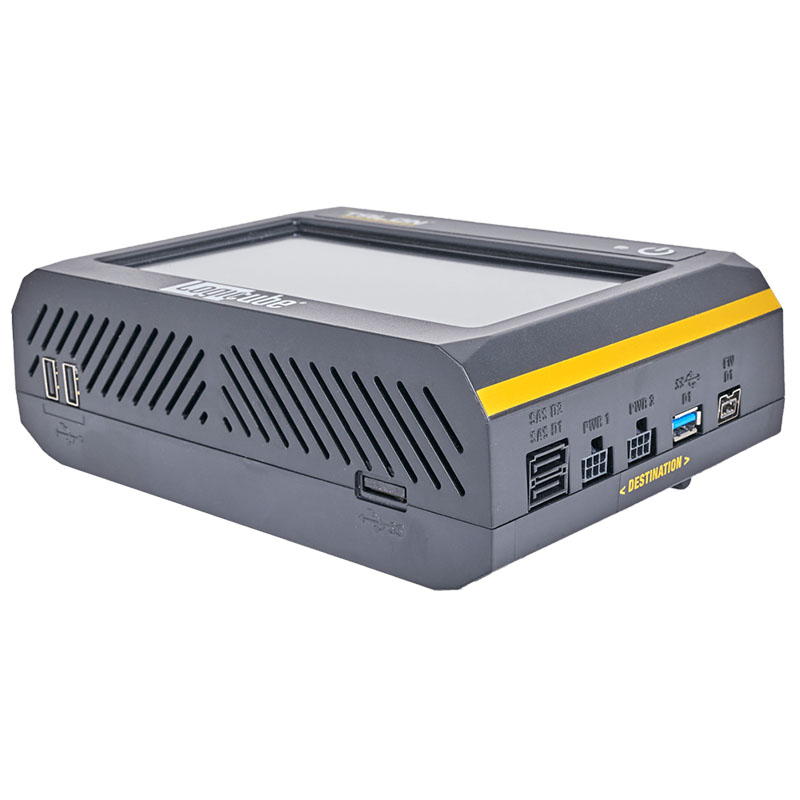
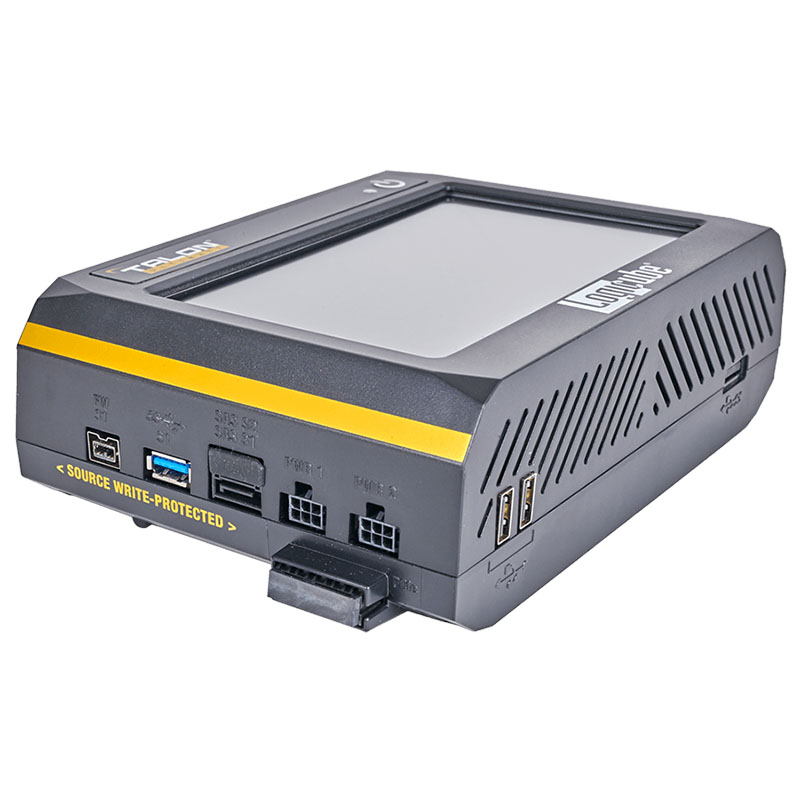
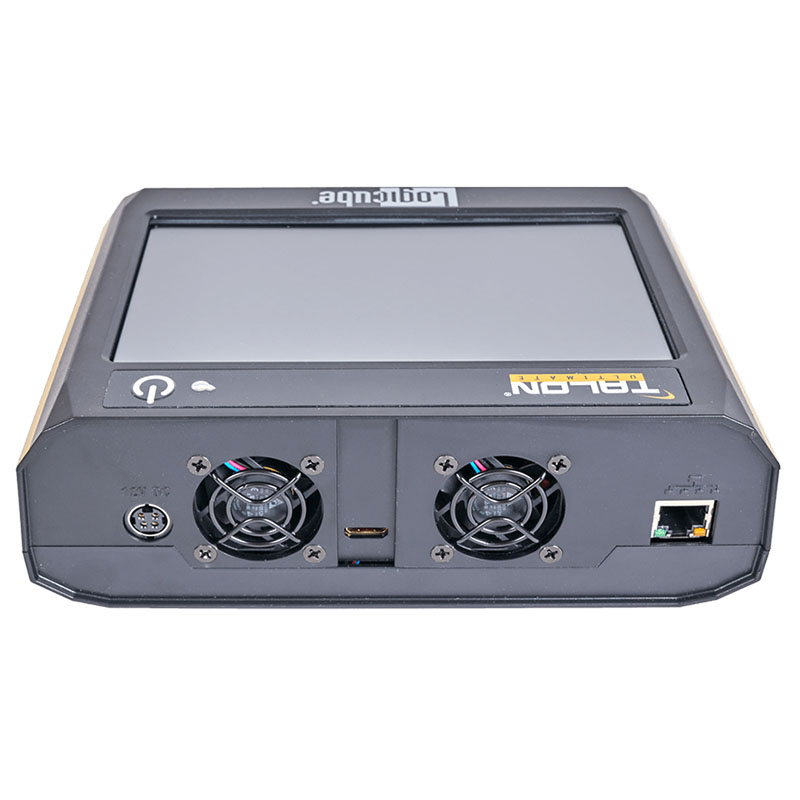
Extremely Fast Imaging The Talon® Ultimate provides extremely fast forensic imaging at up to 53GB/min*. PCIe SupportSupport for imaging from M.2 PCIe (SATA, AHCI and NVMe types), PCIe and mini-PCIe express cards is available using the Talon Ultimate’s PCIe port and optional adapters. Multiple Image FormatsThe Talon Ultimate images and verifies to the following formats: native or mirror copy, dd image, dmg image, e01, ex01 (e01 and ex01 with compression). Concurrent Image+VerifyImaging and verifying concurrently takes advantage of destination hard drives that may be faster than the source hard drive. Duration of total image process time may be reduced by up to half. AuthenticationThe Talon Ultimate supports SHA1, SHA256 dual hash (MD5+SHA1) authentication. Parallel ImagingPerform multiple imaging tasks from the same source drive to multiple destinations using different imaging formats. Clone to a network location or a destination drive using mirror copy mode while simultaneously imaging in e01 or .dd format to a different destination drive. Write-Protected Source Ports2 SAS/SATA1 USB 3.0 (can be converted to SATA using an optional USB to SATA adapter)1 PCIe1 FireWire® Destination Ports2 SAS/SATA1 USB 3.0 (can be converted to SATA using an optional USB to SATA adapter)1 FireWire Targeted/Logical Imagingfeature allows you to create a logical image using pre-set, custom filters, file signature filters and/or keyword search to capture only the specific files needed. An MFT report can be generated that contains a potential deleted file list. Format output to L01, LX01, ZIP or directory tree. Users can browse and view directly on the Talon Ultimate display, or use a web browser on a PC that is connected to the same network as the Talon Ultimate. FormatThe Talon Ultimate formats destination drives to NTFS, EXT4, FAT32 or exFAT file systems. The unit supports imaging from source drives formatted to any major file system. User Profiles/ConfigurationsAdministrators can save configuration settings and set password-protected user profiles. USB PortsA Gigabit Ethernet port for network connectivity is built-in. The unit includes a USB 3.0 device port for drive preview and two USB 2.0 host ports for keyboard, mouse and printer connectivity. Audit Trail Reporting/Log FilesProvides detailed information on each operation. Log files can be viewed on Talon Ultimate or via a web browser, exported to XML, HTML or PDF format to a USB enclosure. Users can print the log files directly from their PC when connected to the Talon Ultimate via a web browser Multi-TaskingAllows users to image simultaneously from multiple sources to multiple destinations including a network repository. Image, hash, and/or wipe multiple drives simultaneously. Users can perform up to 5 tasks concurrently. EncryptionSecure sensitive evidence data with whole disk, open standard, drive encryption using the NIST recommended XTS-AES-256 cipher mode, decrypt using Falcon-NEO or Veracrypt decryption can be performed using the Talon Ultimate or by using a free open source decryption software such as VeraCrypt,TrueCrypt or FreeOTFE (On The Fly Encryption) NetworkingThis feature provides the ability to image to or from a network location. Use the Talon Ultimate to image to a network repository using CIFS protocol and/or image from a network repository using iSCSI. Users can use iSCSI as a source or destination drive. Also features a network “Push” function to push evidence files from destination drives connected to Talon Ultimate to a network repository. Image from a desktop or laptop PCThis feature allows you to image without removing the hard drive from the PC or laptop. Create a forensic bootable USB flash drive that allows the user to image a source drive from a computer on the same network without booting the computer’s native operating system. Requires our USB boot client software (available in our Knowledge Base on our website). Supports imaging from Surface Pro 4 laptops. Image From a Mac® ComputerImage from a Mac computer booted in Target Disk Mode using the write-blocked FireWire port on Talon Ultimate.The Mac computer’s internal drive is seen as a “source” drive. Mac computers with either FireWire or Thunderbolt™ ports can be connected to the Talon Ultimate, a Thunderbolt to FireWire adapter is required. Supports MacBook Pro®, and Mac computers with USB-C ports. Mac Computers that use the T2 Security Chip can be imaged using Logical Imaging (File to File Mode) or using the Mac computer’s Disk Utility please refer to the application note, Mac drives with the Talon Ultimate. Drive TrimAllows the Talon Ultimate to manipulate the DCO and HPA area of the destination drive so that the destination drive’s total native capacity matches the source drive. CD/DVD Blu-RayThe Talon Ultimate can image CD/DVD/Blu-Ray media by using a USB optical drive connected to the USB port on the Talon Ultimate. Supports multi-session CD/DVDs. Drive “Time-Out” FeatureUsers can set a specific “time-out” for hard drives connected to Talon Ultimate. After a specified amount of idle time the drive will be automatically put into standby mode, powering down the drives. Network ServicesUsers can disable various network services such as HTTP, SSH, Telnet,bCIFS/NETBIOS, iSCSI Iperf and Ping, for security purposes. Drive SpanningCapture from one large capacity drive to two smaller capacity drives. Web Browser/Remote OperationAn easy to use interface allows you to connect to the Talon Ultimate from a web browser and manage all operations remotely. The browser features automatic page scaling for iPad type devices. Broad Interface SupportBuilt-in support for SATA/USB3/FireWire storage devices. Support for 2.5″/3.5″ IDE, 1.8″ IDE and 1.8″ IDE ZIF, M.2 (NVMe/SATA/AHCI), microSATA, eSATA, mSATA and flash drives is available with optional adapters. HDMI PortAn HDMI port is located on the back of the Talon Ultimate. This port can be used to connect the Talon Ultimate to a projector. Removable Storage DriveOS and audit trail/logs are stored on an internal drive. This drive is easily removed for secure/classified locations. 7″ Touch ScreenUses a capacitive touch screen with an easy-to-use interface that provides easy navigation through all operations. An on-screen keyboard is also included. WipeWipe lets users choose from Secure Erase, DoD wipe, and custom pass settings. Complies with NIST 800-88 guidelines. User selectable option to verify wipe. Complies with NIST 800-88 guidelines. User selectable option to verify wipe pass value during the wipe process. HPA/DCO/ACS3 CaptureDetect and capture HPA (Host Protected Area), DCO (Device Configuration Overlay), or ACS3 (ATA/ATAPI Command Set-3) areas of a drive. Error Granularity SettingDrive error handling is enhanced with a configurable error granularity feature. When a bad sector on the source drive is found Talon Ultimate will, by default skip that sector. Changing the granularity allows more sectors to be skipped. There are 3 options (512 Bytes, 4096 Bytes, 64 KIB). As an example, if 4096 Bytes is chosen, and one of the 8 sectors in that cluster size contains a bad sector, the Talon Ultimate will skip the entire cluster (4096 bytes or 8 sectors). Compact SizeThe Talon Ultimate is light weight, at 2.0lbs (1.0kg) and features a small footprint of 7.6″W X 2.6″H X 5.5″D (19.0cm X 6.6cm X 13.9cm). Three-year Standard WarrantyThe system comes complete with a three year parts and labor warranty. Both an optional 1 year extended warranty (total of 4 years) and a 2 year extended warranty (total of 5 years) are available. Write-blocked Drive Preview/TriagePreview drives connected to Talon Ultimate on a PC with the USB 3.0 device port. Users can also copy files from drives to their PC with this feature. The Talon Ultimate can be used as a write-blocker. File BrowserWrite-blocked preview of drive contents directly on the Talon Ultimate is available using the file browser feature. This provides logical access to source or destination drives connected to Talon Ultimate. Users can view the drive’s partitions and contents, and view text files, PDF, XML, HTML files. Other FeaturesEnd of task notification available as either audible notification or email for successful tasks or tasks that show an error. Device hostname and NTP servers can now be customized. HTTPS support for secure remote access. In The BoxThe Talon Ultimate includes the following:The Talon Ultimate ships in a cardboard carrying case that includes a custom protective foam insert ready to drop into a standard Pelican-type hard casePower supply and power cord1 CAT6 network cable1 FireWire cable1 USB 3.0 device cable4 SAS/SATA cables4 6-pin SATA plugs (for use with eSATA drives)Users’ manual on CD-ROM *The Talon Ultimate achieves speeds of up to 53GB/min using solid state “suspect” drives that contain a freshly installed Windows “X” OS and random data. Settings used are e01/ex01 image format, with compression and with verify “on”. The specification and condition of the suspect hard drives as well as the mode, image format and settings used during the imaging process may affect the achieved speeds.